CV Writing Sample & Resume Examples: Professional and ATS-Friendly Formats
Looking for a professional CV writing sample or resume example to help you create a stronger job application? This guide brings together practical CV samples, resume formatting examples, popular CV format with examples, and ATS-friendly formatting guidance to help job seekers understand how an effective professional document should be structured.
Whether you are a fresher creating your first CV, an experienced professional updating your resume or a senior executive preparing for a career move, reviewing well-structured resume formatting examples can help you understand how to present your experience, skills, qualifications and achievements more clearly.
A good CV or resume is not simply a list of previous jobs. It should communicate your professional background in a clear, relevant and easy-to-read format while highlighting the experience and capabilities most relevant to the role you are targeting.
The examples and guidance on this page will help you understand the major CV formats, ATS-friendly practices, ATS resume templates and common mistakes; so you can use the right approach for your own job search.
Important: Use CV samples as inspiration and guidance rather than copying them word-for-word. The strongest job applications are tailored to the candidate's own experience and the requirements of the target role.
WHAT SHOULD
A GOOD CV LOOK LIKE?
A good CV should make it easy for an employer or recruiter to understand who you are professionally, what experience you have, what skills you offer and why you may be relevant to the role.
For most job applications, your CV professional sample should use a clear structure, logical section headings and information that is relevant to the position being pursued.
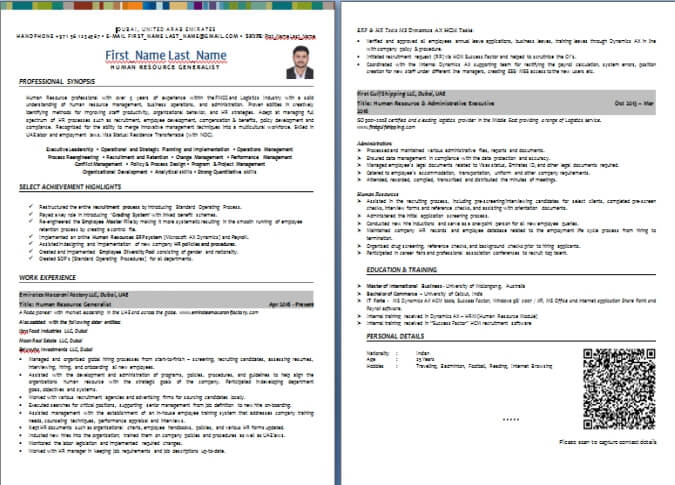
The exact format such as a Resume Example Word Format, or ATS Resume Format, can vary depending on your career stage, profession and employment history. However, most professional CVs include contact information, a professional summary, key skills, work experience, education and relevant certifications or qualifications.
Where possible, work experience should demonstrate not only responsibilities but also achievements, results and contributions.
What Should a Professional CV Include?
CV Section
Contact Information
Professional Summary
Key Skills
Work Experience
Education
Certifications
Additional Information
What It Should Show
- Your name and professional contact details
- A concise overview of your career background and value
- Relevant professional, technical or functional capabilities
- Your employment history, responsibilities and achievements
- Relevant academic qualifications
- Professional certifications, licences or specialist training
- Relevant languages, projects, memberships or other career-related details
The best CV is not necessarily the longest or the most visually elaborate. A professional CV should be relevant, easy to understand and tailored to the opportunity you are pursuing.
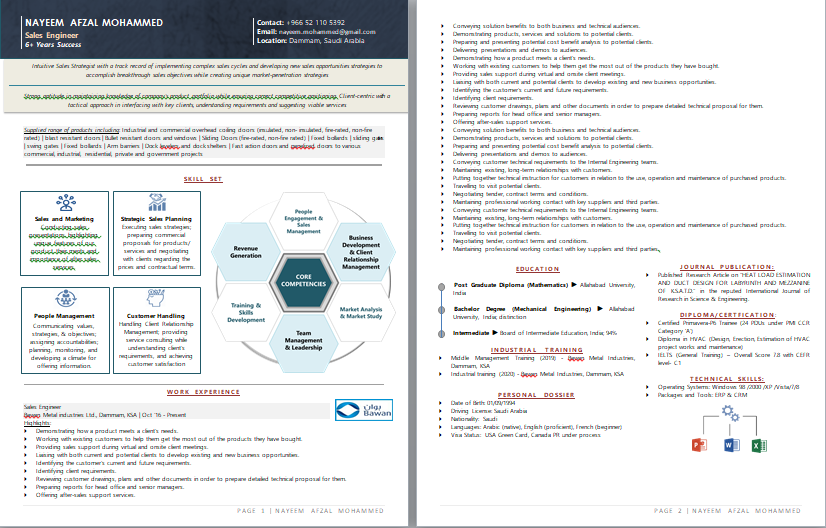
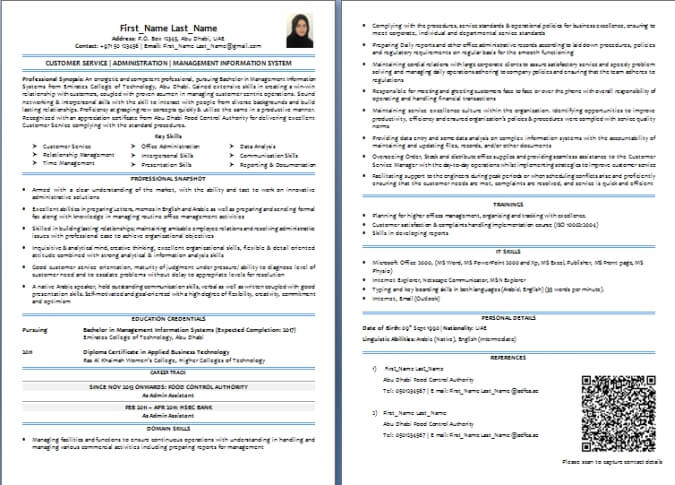
Download Resume Example Word Format
Professional CV Samples, Resume Examples and Format Examples
CV professional samples and resume examples can be useful references when you are creating or updating a job application. They show how information such as your professional summary, skills, work experience, education and achievements can be organised into a clear and professional document.
However, there is no single CV or resume format that is right for every job seeker. The most suitable structure depends on factors such as your career level, employment history, profession and the type of role you are targeting.
If you've been searching for "CV Examples Download Free", "CV Format With Examples", "CV Making Examples", and "Resume Writing Examples", then the Resume Formatting Examples given below will help you understand the differences between common approaches and choose a format that suits your situation.
WHAT IS A CV SAMPLE?
A CV sample is a completed example of a curriculum vitae that demonstrates how a candidate's professional information can be presented for a job application.
A well-written CV sample can show how sections such as work experience, skills, qualifications and achievements fit together within a clear structure.
The purpose of reviewing a CV sample is not to copy another person's content. Instead, use it to understand how to organise your own experience and present information in a way that is relevant to your target role.
WHAT IS THE BEST CV FORMAT?
For many professionals, a reverse-chronological CV format is a practical choice because it presents the most recent work experience first, making it easy for recruiters to review a candidate's current and previous roles.
However, the best CV format depends on the individual's career history, profession, experience level and the requirements of the target position.
A candidate with a straightforward employment history may benefit from a reverse-chronological format, while someone changing careers, returning to work or wanting to emphasise specific capabilities may consider a different structure.
The format should support the candidate's story rather than simply follow a design trend.
The Three Main CV and Resume Formats
Most professional CVs and resumes use one of three broad approaches:
CV / Resume Format
1. Reverse-Chronological
2. Functional
3. Combination
Usually Best Suited For
- Most professionals with a clear employment history
- Candidates who need to place greater emphasis on skills and capabilities
- Professionals who want to highlight both skills and career experience
Main Feature
- Presents the most recent work experience first
- Organises information primarily around relevant skills
- Combines a prominent skills section with work history
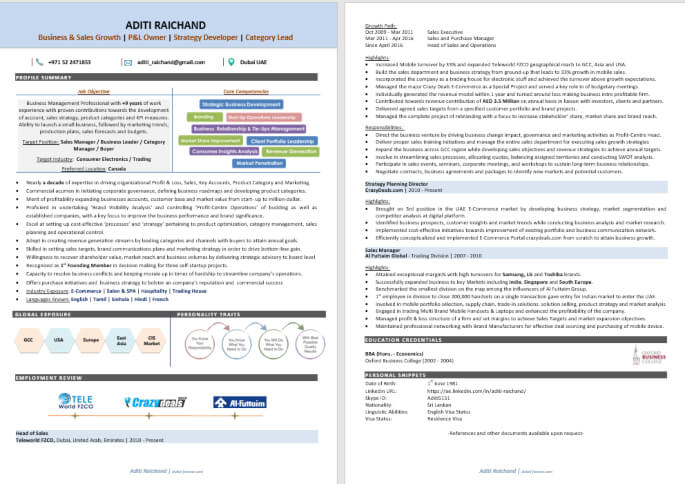
REVERSE-CHRONOLOGICAL CV FORMAT
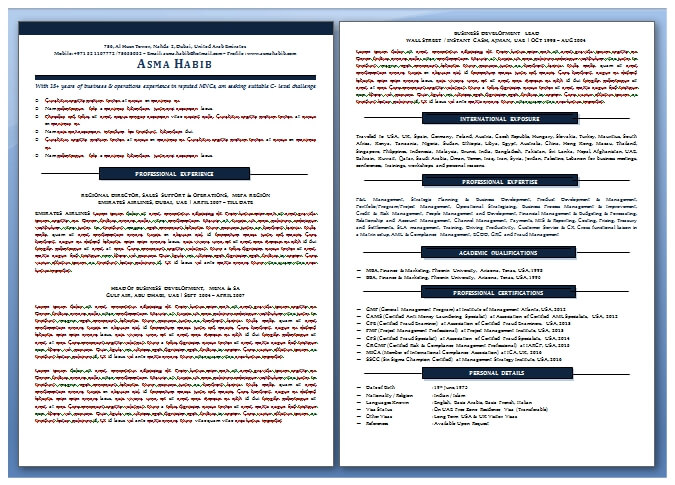
The reverse-chronological format lists your most recent position first and then works backwards through your employment history. This format is widely used because it allows employers to quickly understand your recent responsibilities, career progression and professional background.
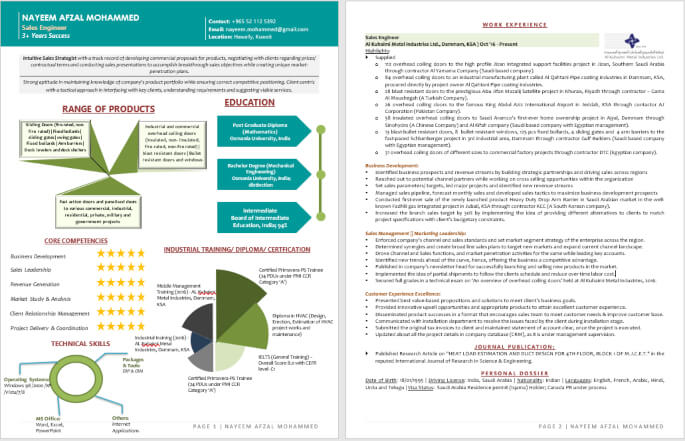
FUNCTIONAL CV FORMAT
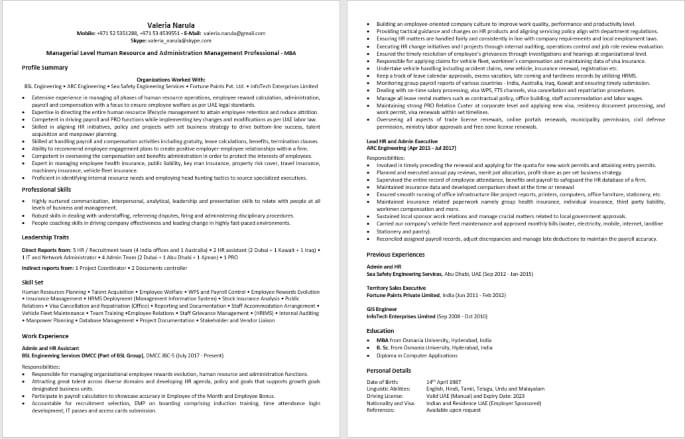
A functional CV format places greater emphasis on skills, capabilities and relevant areas of expertise rather than presenting work experience as the dominant feature of the document. It may be considered in situations where specific skills are particularly important to the target role.
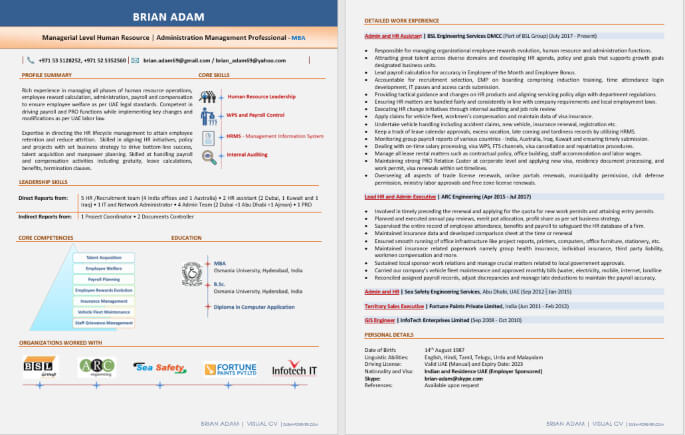
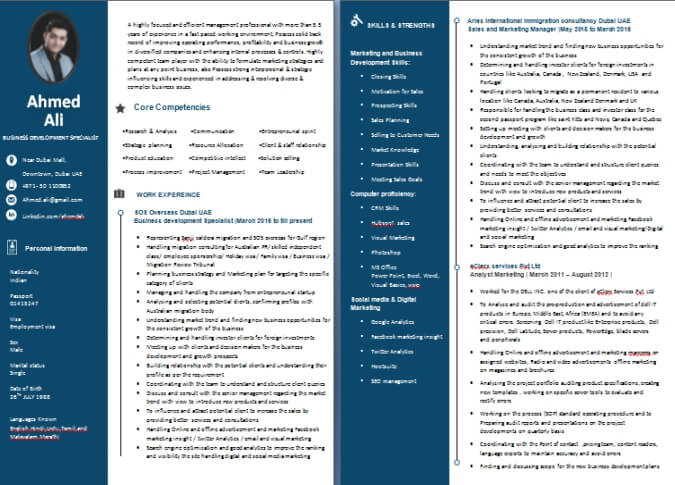
Download CV Professional Sample
COMBINATION CV FORMAT
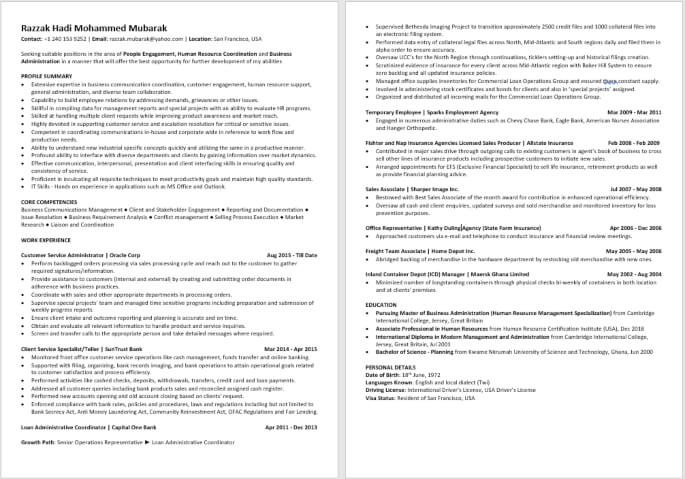
A combination CV format brings together elements of both skills-focused and chronological formats. It typically highlights important professional capabilities while also providing a clear employment history and career progression.
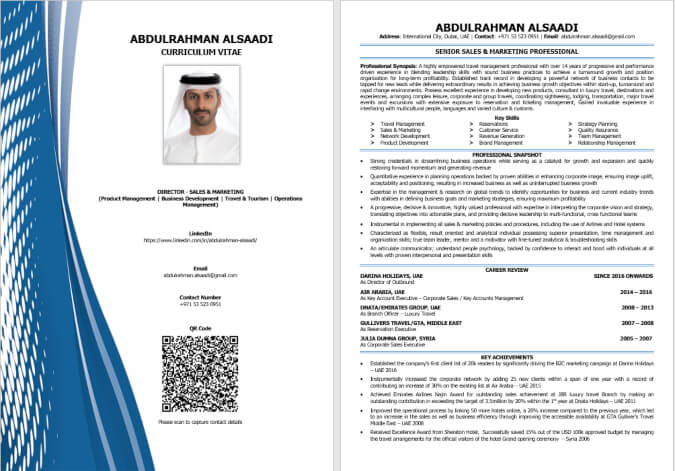
Choosing the right format is only the starting point. A strong CV should also be tailored to the target role, use relevant professional terminology and clearly demonstrate the value and achievements you can bring to an employer.
ATS RESUME SAMPLES AND
ATS-FRIENDLY CV EXAMPLES
Many employers and recruitment teams use Applicant Tracking Systems (ATS) to help manage job applications and organise candidate information. Understanding how an ATS processes a CV or resume can help job seekers create documents that are clear, relevant and easier for both technology and human recruiters to review.
The best ATS-friendly CV is plain but not generic. The goal is to use a logical structure, clear headings and relevant terminology while ensuring that your experience, skills and qualifications are presented in a readable and understandable way.
What Is an ATS Resume?
An ATS resume is a resume designed with a clear structure and relevant information so that Applicant Tracking Systems (ATS Full Form In Resume) can more easily identify and process details such as a candidate's work experience, skills, education and qualifications. ATS compatibility can depend on the specific system and how an employer has configured its recruitment process.
A well-prepared ATS-friendly resume should therefore balance two requirements: it should be structured clearly enough for recruitment technology to process while remaining professional and easy for recruiters and hiring managers to read.
What Makes a CV ATS-Friendly?
An ATS-friendly CV generally uses a straightforward structure and clearly identifies important sections of the candidate's professional background. While different Applicant Tracking Systems may process documents differently, several practices can help improve clarity and usability:
- Use clear and recognisable section headings such as Professional Summary, Work Experience, Skills and Education.
- Include relevant keywords and terminology from the target job description where they accurately reflect your experience.
- Present work experience logically, including job titles, employers and employment dates.
- Use readable formatting that makes information easy for both technology and human readers to understand.
- Avoid unnecessary complexity that may make the document difficult to interpret.
- Follow the employer's application instructions, including any requested file format or submission requirements.
The objective is not to insert as many keywords as possible. A strong ATS Resume Format should use relevant terminology naturally and accurately while clearly communicating the candidate's actual experience and capabilities.
ATS Resume Formatting Example
A typical ATS Resume Sample usually follows a clear and logical sequence, beginning with professional contact information and a concise summary, followed by relevant skills, work experience, education and certifications.
For example:
Contact Information
↓
Professional Summary
↓
Core Skills / Technical Skills
↓
Professional Experience
↓
Education
↓
Certifications and Additional Qualifications
This type of ATS Resume Template structure makes it easier for employers and recruiters to quickly locate important information while keeping the document focused on the candidate's professional background.
COMMON
ATS RESUME MISTAKES
Job seekers sometimes misunderstand ATS optimisation and focus too heavily on trying to "beat" a system rather than creating a strong and relevant application. Common mistakes include:
- Using overly complicated formatting when a simpler structure would communicate information more clearly.
- Copying large numbers of keywords from a job description without demonstrating genuine experience.
- Using vague or unclear section headings that make important information difficult to locate.
- Failing to include relevant skills or terminology that accurately describe the candidate's background.
- Sending a document in a format that does not follow the employer's application instructions.
- Creating a CV for technology alone while neglecting the needs of the recruiter or hiring manager who will ultimately review it.
The best approach is to optimise for both technology and people. Your CV should clearly communicate relevant information in a logical format while demonstrating the experience, skills and achievements that make you a credible candidate for the role.
CV TEMPLATES, RESUME TEMPLATES
AND FREE DOWNLOADS
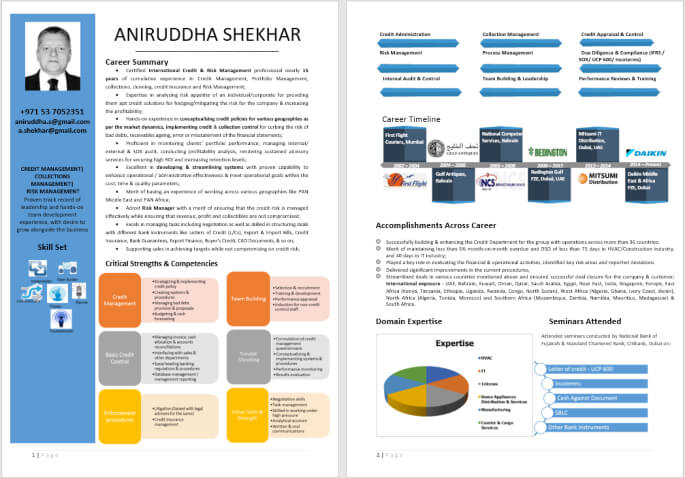
CV samples and CV templates serve different purposes, although the terms are often used interchangeably. Understanding the difference can help you choose the right resource when preparing your job application.
A completed sample can show you how a professional CV or resume may look when finished, while a CV template provides a starting structure that you can customise with your own career information. Both can be useful, but neither should encourage you to copy another candidate's experience or use generic content that does not accurately represent your background.
CV Sample vs CV Template: What's the Difference?
A CV sample is a completed example that demonstrates how professional information can be organised within a finished document. A CV template, on the other hand, provides a reusable structure that a job seeker can customise by adding their own experience, skills, education and achievements.
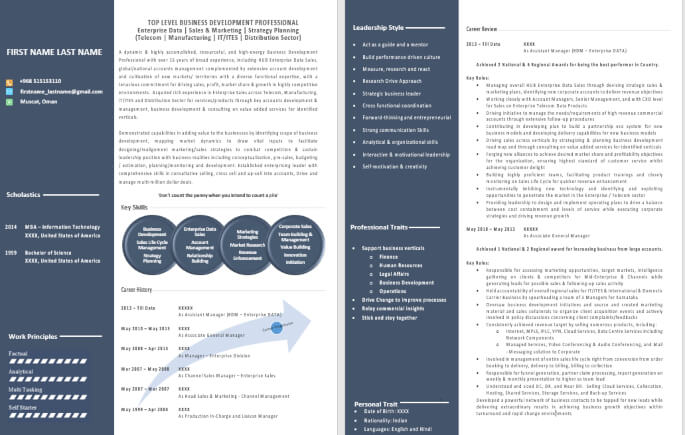
CV Sample
A completed example
Shows how finished content may be presented
Useful for inspiration and guidance
May demonstrate writing style and structure
CV Template
- A reusable document structure
- Provides a starting point for creating your own CV
- Designed to be customised
- Usually focuses primarily on layout and organisation
The most effective approach is often to use a professional sample to understand what information should be included and how it can be presented, then create a CV that reflects your own career history and the requirements of the role you are targeting.
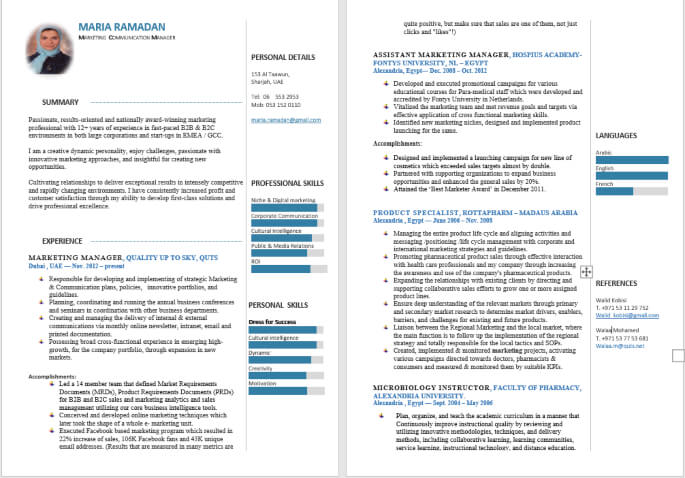
Download Resume Writing Format
FREE CV SAMPLES AND RESUME
DOWNLOADS
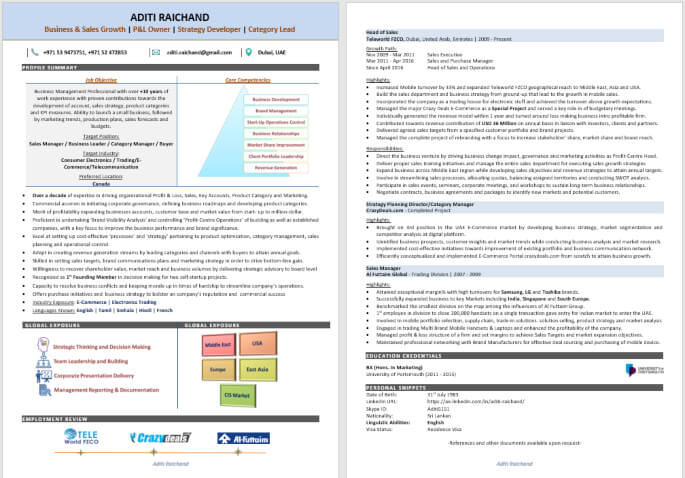
Free CV samples can provide a useful starting point if you are creating your first CV or updating an existing document. Before downloading or using any sample, however, make sure that the format is appropriate for your career situation and that you can easily customise the content to reflect your own qualifications and experience.
When using a downloadable CV sample or template:
- Replace all example information with your own accurate details.
- Tailor your professional summary and skills to the type of role you want.
- Use achievements and results from your own career rather than copying sample content.
- Review the target job description for relevant terminology and requirements.
- Check the final document carefully for formatting, spelling and accuracy.
A sample provides inspiration, but a personalised CV provides relevance. Employers are looking for evidence of your own experience, skills and achievements... not a copied version of someone else's career document.
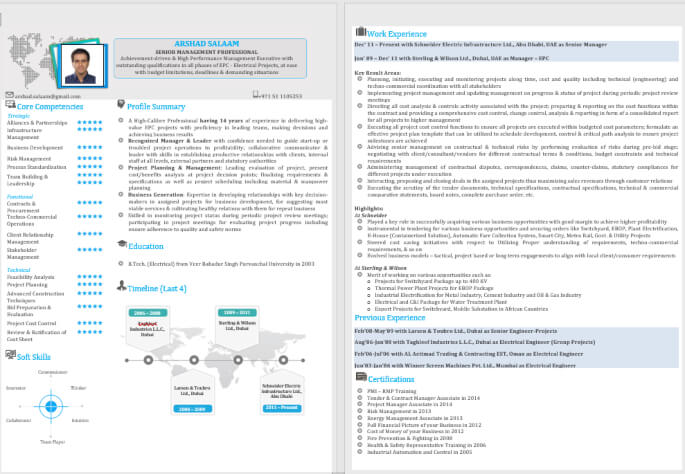
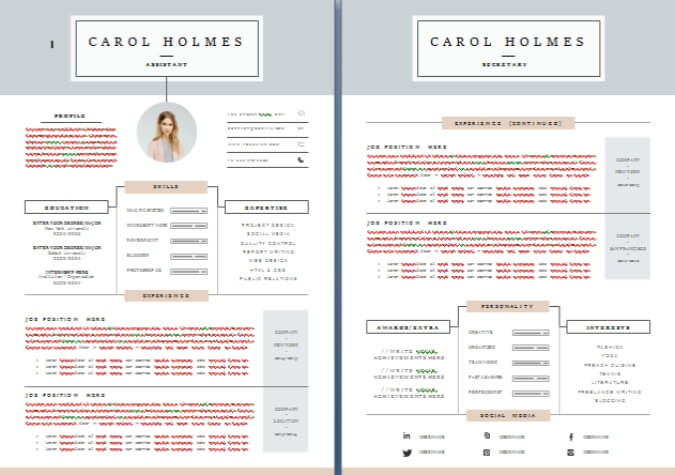
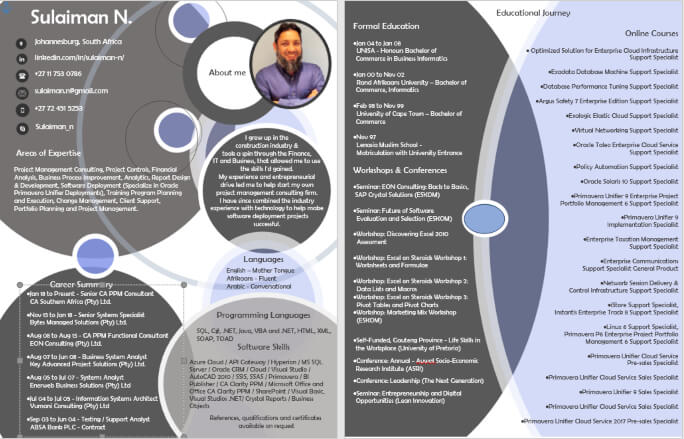
Download Infographic Resume Example Word Format
CV EXAMPLES FOR
DIFFERENT CAREER LEVELS AND JOB SEEKERS
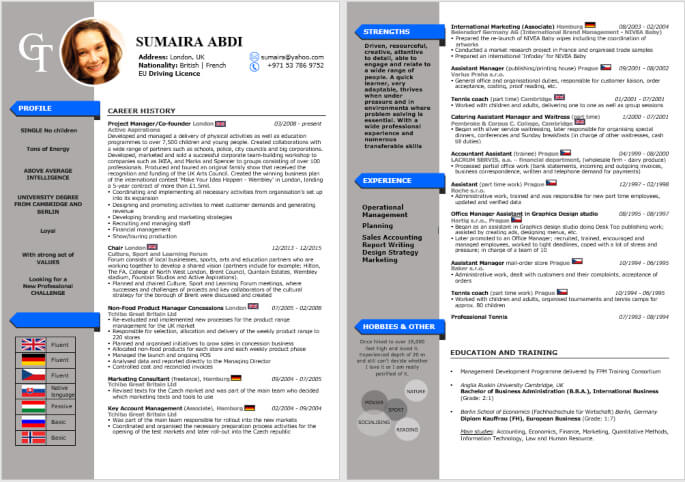
The most suitable CV structure can change as your career develops. A fresher may need to place greater emphasis on education, transferable skills and academic projects, while an experienced professional will usually have a stronger work history and measurable achievements to present.
Senior professionals and executives may need a more strategic document that demonstrates leadership, business impact and career progression. The examples below can help you understand how the focus of a CV may change at different stages of a career.
CV Sample for Freshers and Entry-Level Professionals
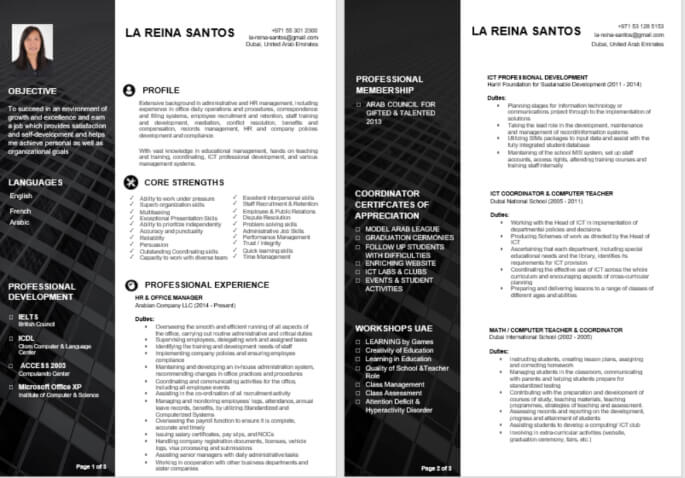
A CV for a fresher or entry-level job seeker should focus on the qualifications, skills and experiences that demonstrate potential for the target role. Even without extensive professional experience, candidates may be able to highlight internships, academic projects, volunteer work, training, certifications and transferable skills.
The objective is to present relevant evidence of your capabilities rather than trying to make a limited employment history appear larger than it is.
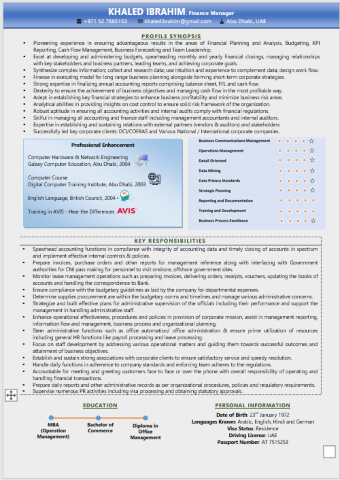
Download Resume Example Word Format
CV Sample for Experienced Professionals
Experienced professionals should generally use their CV to demonstrate career progression, relevant expertise and measurable contributions. Work experience usually becomes the central part of the document, with each role showing responsibilities alongside significant achievements, projects or business results.
A strong experienced-professional CV should help an employer quickly understand what you have done, the level at which you have worked and the value you could potentially bring to the next organisation.
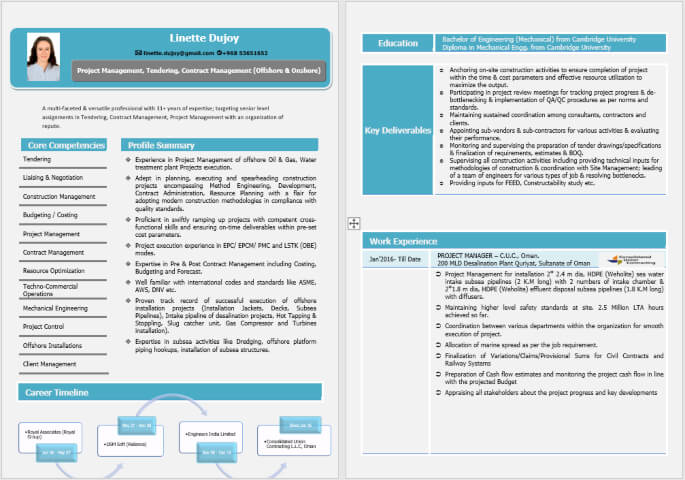
Senior and Executive CV Samples
Senior professionals and executives typically need to communicate more than a list of responsibilities. Their CV should demonstrate leadership, strategic contribution, decision-making capability, business impact and the scale or complexity of the environments in which they have worked.
Depending on the role, an executive CV may highlight areas such as team leadership, transformation, financial impact, operational improvement, stakeholder management, growth or major strategic initiatives.
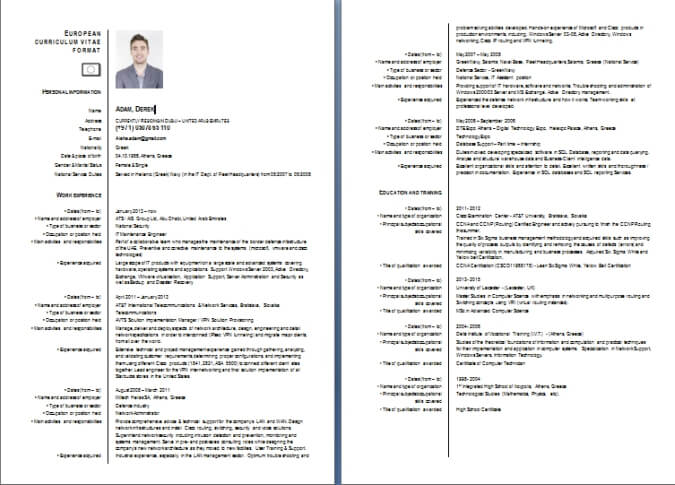
Europass CV Format Example Download
CV Examples by Profession
CV requirements can also vary depending on the profession and industry. An IT professional may need to highlight technical skills and technology platforms, while an accountant may emphasise financial expertise, qualifications and systems knowledge. Similarly, engineering, HR, sales and healthcare professionals may each need to present different types of experience and achievements.
Examples by profession can help job seekers understand which information is most relevant to their target field. However, the strongest CV should always be tailored to the specific job and employer rather than relying entirely on a generic industry example.
The right CV is not determined by career level alone. Your professional background, target role, industry and individual achievements should all influence how your experience is presented.
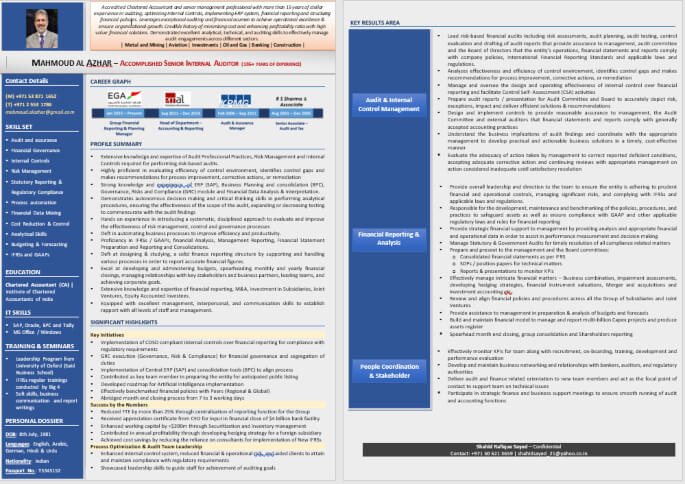
HOW TO WRITE A PROFESSIONAL CV
Writing a professional CV involves more than listing your previous jobs and qualifications. A strong CV should present your career information in a clear, relevant and logical way so that an employer can quickly understand your professional background and suitability for the role.
The exact content and format will vary depending on your profession and career stage, but the following process provides a practical starting point for most job seekers.
1. Choose the Right CV Format
Select a format that presents your career history clearly. For many professionals, a reverse-chronological format works well because it places recent experience first. However, the most suitable format should reflect your employment history, career situation and target role.
2. Add Professional Contact Information
Include the information an employer needs to identify and contact you. This typically includes your name, telephone number, professional email address and location. You may also include relevant professional links, such as your LinkedIn profile, where appropriate.
3. Write a Professional Summary
Your professional summary should provide a concise overview of your career background, key areas of expertise and the type of value you can bring to an employer. Tailor this section to reflect the direction of your job search rather than using a generic objective statement.
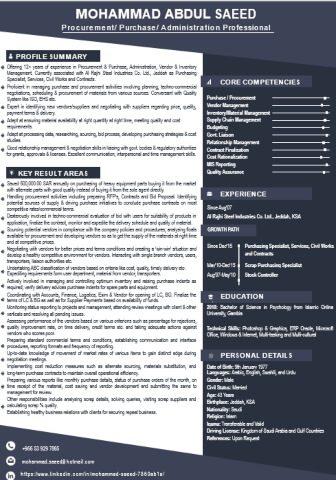
4. Include Relevant Skills
Create a focused skills section that highlights capabilities relevant to the positions you are targeting. These may include technical skills, professional competencies, systems, tools, industry knowledge or functional expertise.
5. Present Your Work Experience Clearly
For each relevant position, include your job title, employer and employment period. Then explain your responsibilities and contributions in a way that helps the reader understand the scope of your role.
6. Focus on Achievements and Results
Where possible, go beyond listing duties. Highlight projects, improvements, results or measurable achievements that demonstrate the impact of your work. Specific examples can provide stronger evidence of your capabilities than general statements alone.
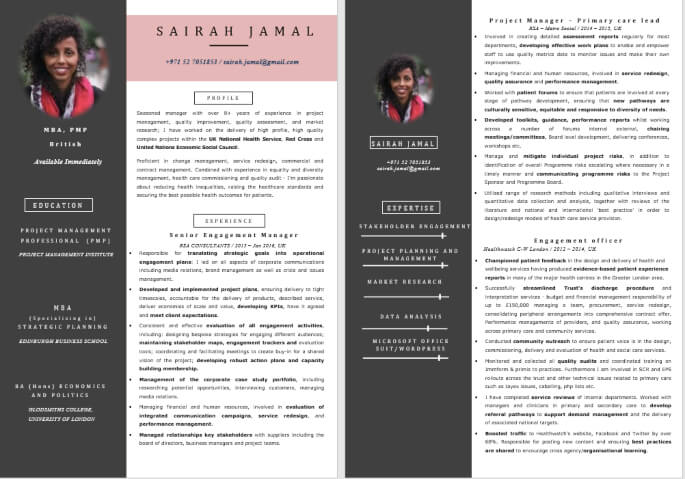
7. Add Education and Relevant Certifications
Include academic qualifications, professional certifications and specialist training that support your career goals. Give greater prominence to qualifications that are relevant to the target role or profession.
8. Tailor Your CV to the Job
A strong CV should be adapted to the role you are applying for. Review the job description carefully and make sure your CV accurately highlights the most relevant experience, skills and qualifications from your background.
Before sending your CV, ask one important question: Does this document clearly show why my experience and skills are relevant to the role I want? If the answer is unclear, review the content, structure and emphasis before submitting your application.
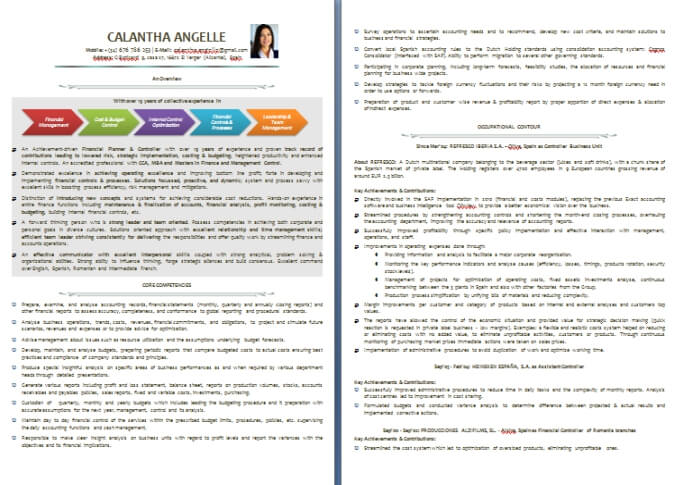
Download CV Professional Sample
CV vs RESUME: WHAT'S THE DIFFERENCE?
The terms CV and resume are often used interchangeably in job searches, but their meaning can vary depending on the country, profession and purpose of the document.
In some countries, a CV (Curriculum Vitae) may refer to a more detailed document covering a person's education, professional experience, qualifications and career history. A resume is often used to describe a more concise document tailored specifically to a particular job opportunity.
CV
May be more detailed depending on the country or purpose
Can provide a broader overview of career and qualifications
Common terminology in many international job markets
Meaning can vary by country and profession
Resume
- Often concise and targeted to a specific role
- Usually focuses on the most relevant experience and skills
- Common terminology, particularly in the United States and some other markets
- Meaning can also vary depending on the employer and job market
For most job seekers, the most important consideration is not simply whether the document is called a CV or a resume. It is whether the document clearly presents relevant experience, skills, qualifications and achievements for the opportunity being pursued.
When applying for a job, follow the terminology and application requirements used by the employer. A well-structured and relevant document is generally more important than the label used to describe it.
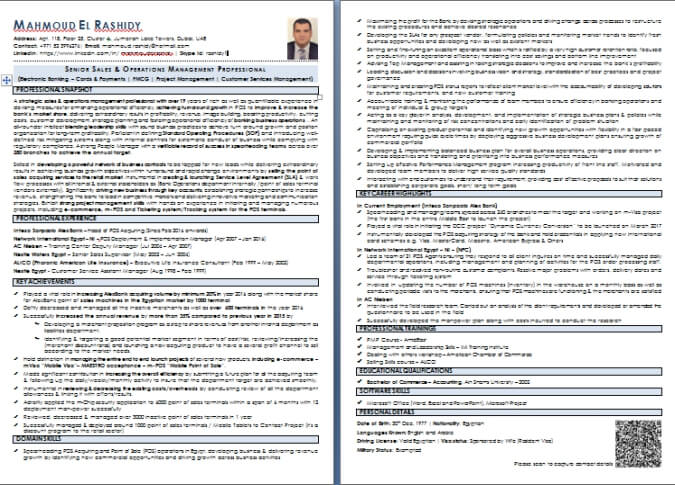
SHOULD YOU SEND YOUR CV AS PDF OR WORD?
The best file format for your CV depends first on the employer's application instructions. If an employer specifically requests an MS Word document, PDF, PAGES, Google Docs, or any another format, follow those instructions.
When no format is specified, PDF is often useful because it helps preserve the document's layout and formatting across different devices and operating systems.
A Word document, however, may be preferred in situations where an employer, recruiter or recruitment system specifically requires an editable file.
PDF CV
Helps preserve the original layout and formatting
Usually appears consistently across devices
Useful when presentation and formatting need to remain unchanged
Word CV
- Can be easily edited and updated
- May be specifically requested by employers or recruiters
- Useful when an editable document is required
Before submitting your application, check the job posting carefully and make sure the file opens correctly. The best format is ultimately the one that meets the employer's requirements while presenting your information clearly and professionally.
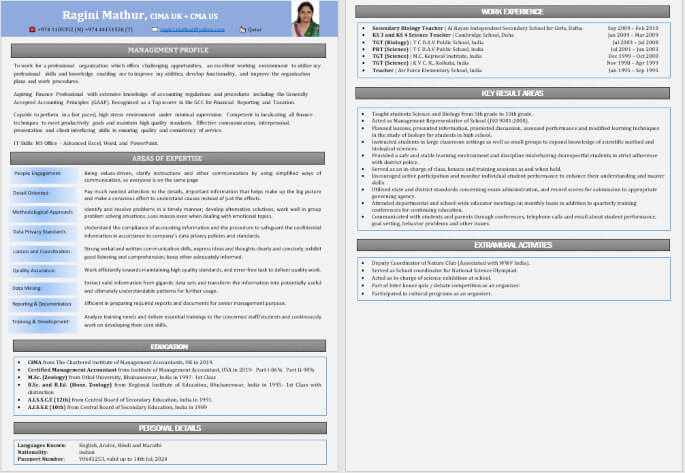
COMMON CV AND RESUME MISTAKES TO AVOID
Even experienced professionals can weaken an otherwise strong job application by making common CV and resume mistakes. A professional document should be clear, relevant and easy to review—not overloaded with unnecessary information or copied generic content.
1. Copying a CV Sample Word-for-Word
CV samples should be used for inspiration and structure, not copied directly. Your CV should accurately reflect your own experience, skills, achievements and career history.
2. Using the Same CV for Every Job
A generic CV may fail to highlight the experience most relevant to a particular opportunity. Review the job requirements and tailor your CV to emphasise the qualifications and capabilities that genuinely match the role.
3. Listing Responsibilities Without Showing Achievements
Simply describing what you were responsible for does not always demonstrate the impact of your work. Where possible, include achievements, improvements, projects, results or measurable contributions.
4. Including Irrelevant Information
Every section of your CV should serve a purpose. Information that does not support your professional profile or the target role can distract from your most relevant qualifications and experience.
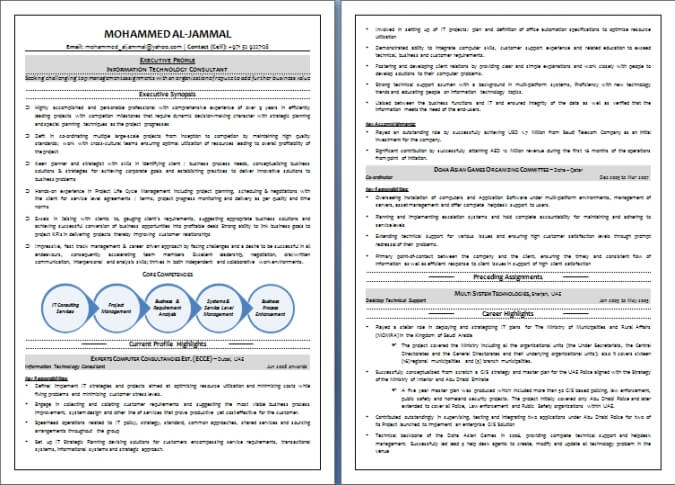
5. Using Poor or Overly Complicated Formatting
Complex designs, inconsistent formatting and difficult-to-read layouts can make important information harder to find. A clear structure and logical headings are usually more effective than unnecessary visual complexity.
6. Ignoring Relevant Job Keywords
Job descriptions often contain useful terminology describing the skills, responsibilities and qualifications required for a role. Where those terms accurately reflect your background, use them naturally within your CV.
7. Failing to Proofread Before Applying
Spelling mistakes, incorrect dates, inconsistent job titles and formatting errors can reduce the professionalism of your application. Always review your CV carefully before submitting it.
A strong CV should be accurate, relevant and easy to understand. Before applying, review your document from the employer's perspective and make sure the most important information can be identified quickly.
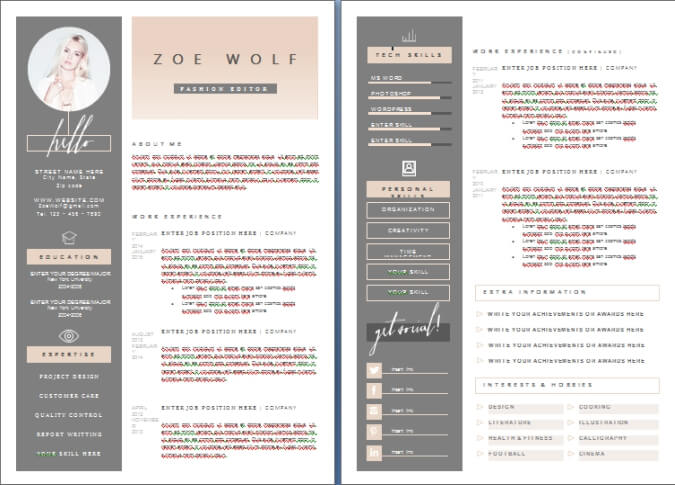
FREQUENTLY ASKED QUESTIONS
ABOUT CV SAMPLES AND RESUME EXAMPLES
Q1. What Is the Best CV Format?
ANSWER: For many professionals, a reverse-chronological CV format is a practical choice because it presents recent work experience first and makes career progression easy to review. However, the best format depends on your employment history, career stage, profession and the requirements of the role you are targeting.
Q2. What Should a Professional CV Include?
ANSWER: A professional CV typically includes contact information, a professional summary, relevant skills, work experience, education and applicable certifications or qualifications. Depending on the profession and role, it may also include projects, languages, professional memberships or other relevant information.
Q3. What Is an ATS-Friendly Resume?
ANSWER: An ATS-friendly resume uses a clear structure and recognisable sections to help Applicant Tracking Systems and recruiters identify important information. It should accurately include relevant skills and job-related terminology while presenting work experience, education and qualifications in a logical and readable format. ATS Resume Templates shared on this page are for Free CV Sample Download.
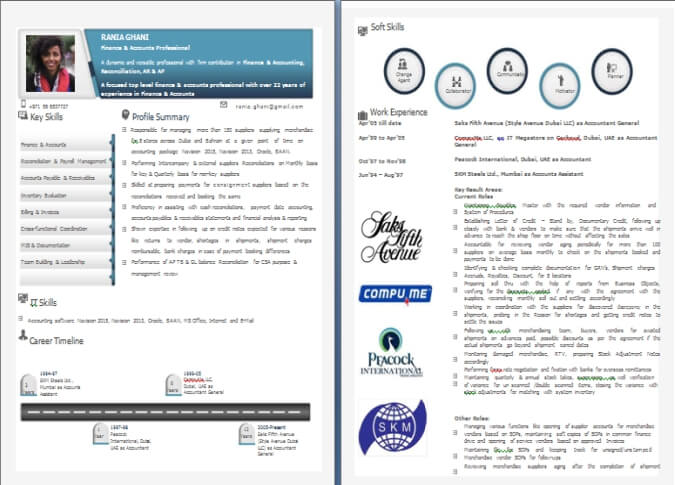
Download Resume Example Word Format
Q4. Can I Copy a CV Sample?
ANSWER: A CV writing sample should be used as inspiration rather than copied word-for-word. You can learn from its structure, formatting and approach to presenting information, but your CV should accurately represent your own experience, skills, qualifications and achievements.
Q5. Should I Use a CV Template?
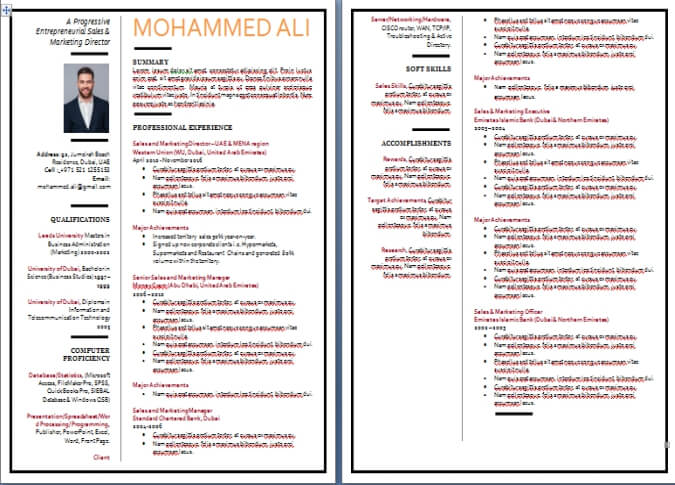
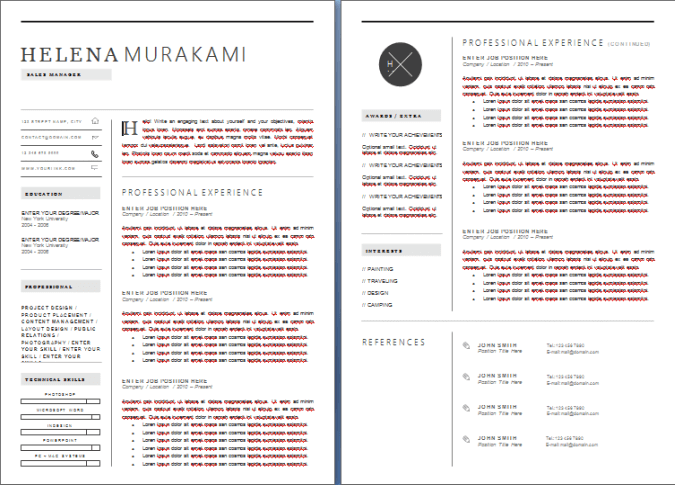
ANSWER: A CV template can provide a useful starting structure, particularly if you are unsure how to organise your information. However, you should customise the content carefully and make sure the final CV is relevant to 'YOUR' career background and the type of role you are pursuing. ATS Resume Templates and regular CV Templates are shared on this page for FREE download.
Q6. How Long Should a CV Be?
ANSWER: There is no single ideal length for every CV. The appropriate length depends on your career history, profession and the relevance of your experience. Focus on including information that supports your application rather than adding unnecessary content simply to make the document longer.
Q7. Should I Send My CV as PDF or Word?
ANSWER: Always follow the employer's instructions if a specific file format is requested. When no format is specified, PDF can help preserve formatting, while a Word document may be appropriate when an employer or recruiter specifically requires an editable version.
Q8. How Do I Make My CV Stand Out?
ANSWER: A CV can stand out by clearly demonstrating relevant experience, skills and achievements rather than relying only on visual design. Tailor the content to the target role, highlight measurable results where possible and make sure the most important information is easy for recruiters to identify quickly.
Q9. Should I Include a Photo on My CV?
ANSWER: Whether to include a photo on your CV depends on the country, industry and employer's expectations. In some job markets, photographs are commonly included, while in others they are discouraged or unnecessary. Research the conventions of your target market and follow any employer-specific application requirements.
Q10. How Often Should I Update My CV?
ANSWER: It is a good idea to update your CV regularly rather than waiting until you urgently need to apply for a new job. Add significant projects, achievements, promotions, new skills and certifications while the details are still fresh. Keeping your CV updated makes it easier to respond quickly to suitable career opportunities.
Q11. Can I Use the Same CV for Different Jobs?
ANSWER: You can use a master CV as the foundation for different applications, but it is usually better to tailor each version to the specific role. Emphasise the experience, skills and achievements that are most relevant to the job description while ensuring that all information remains accurate and truthful.
Q12. How Do I Write a CV for a Job Application?
ANSWER: To write a CV for a job application, start by reviewing the job description and identifying the experience, skills and qualifications that are most relevant to the role. Include clear contact information, a targeted professional summary, relevant skills, work experience, education and certifications. Where possible, demonstrate achievements and results rather than simply listing responsibilities.
Q13. What Is the Best CV Format for a Job Application?
ANSWER: For many job seekers, a reverse-chronological CV format is a practical choice because it presents recent work experience first and makes career progression easy to understand. However, the best CV format depends on your employment history, career level and target role. The format should make your most relevant qualifications and experience easy for an employer to identify.
Q14. What Are the Best Words to Use in a CV?
ANSWER: The best words to use in a CV depend on your profession and target role. Use accurate job-related terminology, relevant technical skills and action-oriented language to describe your responsibilities and achievements. Words such as led, developed, improved, delivered, implemented, managed and achieved can be useful when they accurately describe your contribution.
Q15. How Do I Write a CV With Career Gaps?
ANSWER: A CV with career gaps should focus on presenting your employment history honestly and clearly while emphasising your relevant experience, skills and qualifications. Depending on the circumstances, you may also include relevant training, freelance work, projects, volunteering or professional development completed during periods away from traditional employment.
Q16. How Do I Write a CV When Changing Careers?
ANSWER: When changing careers, focus on transferable skills and experience that are relevant to your new target profession. Tailor your professional summary, skills and achievement statements to demonstrate how your previous experience can support the new role. Relevant certifications, training, projects and additional qualifications can also help demonstrate your commitment to the new career direction.
Q17. How Do I Write an Executive CV?
ANSWER: An Executive CV should demonstrate leadership, strategic contribution and measurable business impact. Rather than simply listing responsibilities, highlight achievements such as business growth, transformation, operational improvement, financial results, team leadership and major strategic initiatives. The content should reflect the seniority, scope and complexity of the roles you are targeting.
Q18. How Do I Write a CV for My First Job?
ANSWER: When writing a CV for your first job, focus on the evidence you have available rather than worrying about limited professional experience. Include education, internships, academic projects, volunteer work, relevant training, certifications, extracurricular activities and transferable skills. Tailor the document to show why your background and potential are relevant to the position.
Q19. What Should I Put in the Skills Section of My CV?
ANSWER: Include skills that are relevant to the type of job you are targeting and that you can genuinely demonstrate. Depending on your profession, these may include technical skills, software and systems knowledge, functional expertise, industry knowledge and professional competencies. Avoid creating a long list of unrelated skills simply to fill space. Go through the Resume And CV Sample Downloads from this page, for a better understanding.
Q20. How Do I Tailor My CV to a Specific Job?
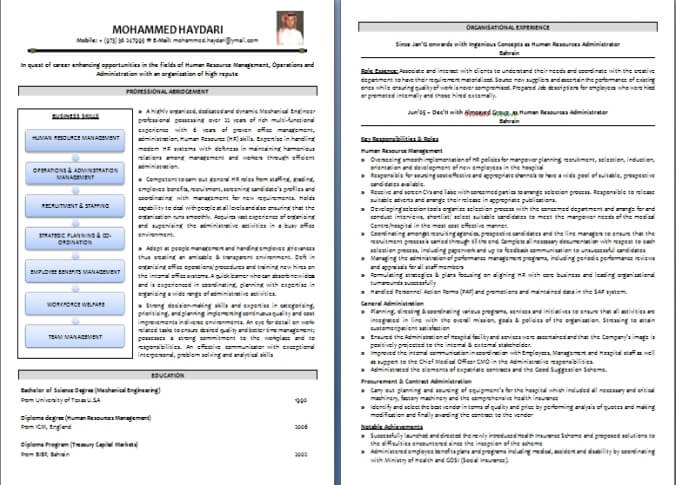
ANSWER: Start by carefully reviewing the job description and identifying the skills, qualifications and experience required for the position. Then adjust your professional summary, skills section and work experience to give greater emphasis to the parts of your background that genuinely match the role. Tailoring should improve relevance without exaggerating or misrepresenting your experience. Resume Formatting Examples inclusive of Resume Example Word Format, and ATS Resume Format are given here for FREE download.
Download CV Professional Sample
Download Resume Writing Format
WHATSAPP JOB GROUPS
Join the most active Whatsapp Jobs Groups for Job Vacancies in the Middle East region. Across all Sectors and all 6 countries of the GCC viz. UAE, KSA, Qatar, Oman, Kuwait and Bahrain.
CV Samples, Resume Examples, Resume Format Templates are important.
However, even more important is the "CONTENT".
We pride ourselves to be among
'THE BEST CV and Resume "Content Writers" in the entire GCC region.
Take Resume Writing Help from us!
Take Action Now!
Order Your Customized CV!
Select a link below, depending upon your total years of work experience:
Entry Level (0 - 2 Years Career Experience)
Junior Professional Level (2 - 5 Years Career Experience)
Mid Level Professional (5 - 8 Years Career Experience)
Senior Professional Level (8 - 15 Years Career Experience)
Senior Professional Advancement (15 - 25 Years Career Experience)
Industry Expert & Legacy Positioning (25 - 40 Years Career Experience)
Executive Level (C-Level, MD, VP, Director, Lawyer, Doctor, Investor, etc.)
Board & CXO Positioning (8 - 40 Years Career Experience)
Return to Resume Writing Service Page
Return to Dubai-Forever.Com's Home Page
Michael Page Articles

I am a regular contributor of articles on my "Subject Matter Expertise" with Michael Page, the elite International Recruiting Firm with branches across the world. Here are some published ones:











Shabbiir Kagalwalla
Professional CV | LinkedIn Writer
Mobile|WhatsApp:
+91-9158104352
Email ID:
shabbir@dubai-forever.com
BOTIM | IMO:
+91-9158104352
LinkedIn:
https://www.linkedin.com/in/shabbirfkagalwala/
Let's TALK! WhatsApp/SMS me, and we can talk on Zoom/Google Meet/Whatsapp Call.
CV WRITING -
HOW IT WORKS...
- Fill up the Interview Questionnaire.
- Send your Existing CV.
- Pay for CV Writing Service.
- Receive 1st Draft in 2-3 days. Give Feedback.
- Receive Final CV, (unlimited revisions) + FREE Bonus worth US$ 190.
LEARN More About 'How It Works' and the 'Procedure for CV Writing'...
___________________________
FREE Whatsapp Jobs Groups

Please join ANY ONE ONLY from these 14 General Groups:
GCC Jobs Groups: 1, 2, 3, 4, 5, 6, 7, 8, 9, 10, 11, 12, 13, 14, 15
And join your Sector-Specific Groups:
Accounting/Auditing • Secretary/Admin • Agriculture • Airlines • Apparel/Fashion • Automotive • Banking/Finance • Building Materials • Call Center • Construction • C-Level • Design/Creative/Arts • Diver • Aeronautical Engineering • Chemical Engineering • Civil Engineering • Electrical Engineering • Energy Engineering • Industrial Engineering • FMCG • Freelancer • Government/Public Sector • Hospitality • HR • HSE • Insurance • Internship/Fresher • IT & AI • Legal/Law • Logistics/Supply Chain • Management • Marketing • Media •
Medical/Nursing • Oil & Gas • Purchase/Procurement • Real Estate • Remote/Hybrid • Sales/Retail • Security • Teaching • Technician • Transportation
___________________________
LinkedIn Jobs Group

Join the fastest growing Jobs Group on LinkedIn for jobs & vacancies direct from Recruiters...
___________________________
Facebook Jobs Group

Join the fastest growing Middle East Jobs Group on Facebook.
___________________________
Click on the "Leave a Message" or "Chat With Us" window just below, and write us a message, with your name and email ID. We will promptly revert back...






By Shabbir Kagalwala, Copyright © 2009 - 2026...
Be a BIG part of our social initiative to help job-seekers find jobs in the GCC. Share jobs posted on these Whatsapp Groups, & on this site.
This site is Powered By Solo Build It!